Build your empire
Balance homes, industry and businesses. Open districts, research technology, hire Governors and trade between colonies.
META QUEST · AVAILABLE NOW
Grow from an Earth town into a solar-system economy. Arrange miniature cities and pixel-art windows wherever they suit you.
Released October 30, 2026 for Quest 2, Quest 3 and Quest 3S. iOS and Steam (desktop + PC VR) are in review.
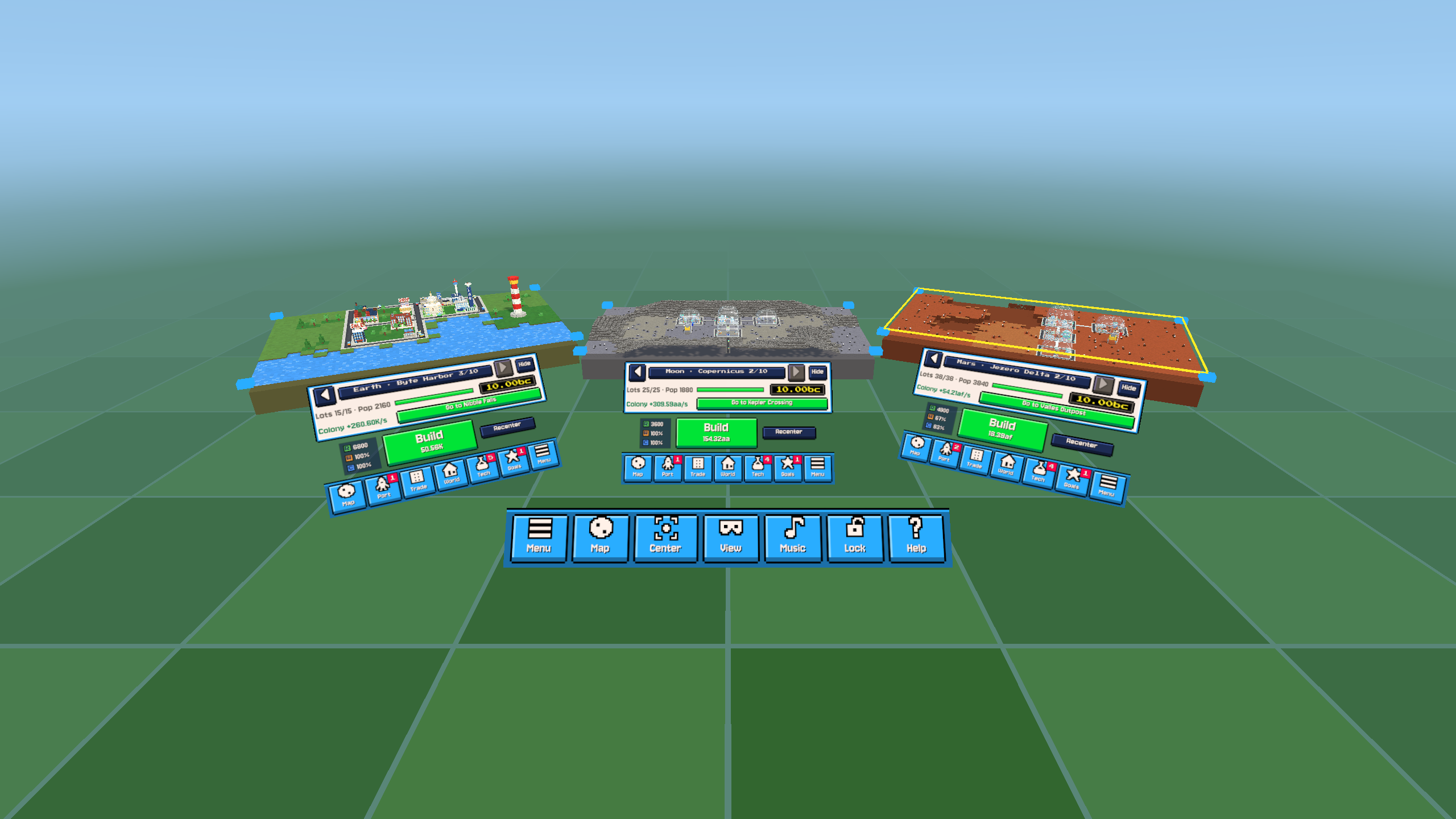
Balance homes, industry and businesses. Open districts, research technology, hire Governors and trade between colonies.
Arrange up to four city views, move and pin their windows, and choose a virtual room or optional passthrough.
Three local save slots, idle progress, Prestige and 41 achievements. The Quest edition is one purchase, with no ads or in-app purchases.
These controls describe Quest release 0.1.46. Play seated or standing with Touch controllers or optional Quest hand tracking. Physical walking is not required. Optional joystick movement and snap turns move the workspace around you. For the full movable help window, choose Help or Menu > Controls.
| Action | Control |
|---|---|
| Select or collect | Point and use the top/index trigger, A or X. With hands, pinch thumb and index together, then release to select. Pinch-drag a list to scroll. |
| Move a window or city | Hold the inner grip on a window, colony bar or MOVE CITY handle. The top trigger can also drag a window titlebar. With hands, deliberately close the middle, ring and little fingers; open them to release. |
| Resize or zoom a city | While holding a city, stick left/right changes its physical size; up/down zooms the buildings inside the same plot frame. Return the stick to neutral before changing axes. When nothing is held, point at a city and use right-stick up/down to zoom, or use the colony bar zoom buttons. |
| Adjust a window | While holding it, stick up/down changes distance and left/right changes size. Point at a list and use either stick to scroll. |
| Pan or change map coverage | Grip exposed terrain to pan. Trigger or grip on a cyan corner changes map coverage. With hands, use a deliberate closed-hand grip to pan. Two closed hands can move and turn a city; spreading them zooms its contents. |
| Move through the workspace | With nothing held, the left stick moves through the workspace and right-stick left/right turns it in 30-degree steps. Movement is optional. |
| Open the Menu | Press the left controller Menu button or select Menu on the toolbar. In hand mode, use the left palm-up system gesture. The right Meta button and right-hand system gesture remain reserved for Quest. |
| Bring everything within reach | Select Center, or Options > Bring workspace within reach. Unanchored cities reopen in front of you at a height adjusted for seated or standing play. |
| Adjust visual comfort | Options offers brightness, contrast, high-contrast panels and a virtual environment or optional passthrough. Stop if movement makes you uncomfortable. |
Version 0.1.46 (44) is available on the Meta Horizon Store. It includes recoverable save errors and interface translations in French, German, Spanish, Italian and Brazilian Portuguese, and hides Restock earlier tiers when no earlier-tier upgrades remain.
The released edition supports Quest 2 and the Quest 3 family, with three local save slots and 41 achievements. Internet is currently required for the platform ownership check. Quest saves are separate from PC and mobile saves; Meta Cloud Backup depends on your platform settings.
Get Bit Universe on the Meta Horizon Store. Invited testers can read the beta guide; a testing channel may contain an earlier version with different controls.